Changing Tastes

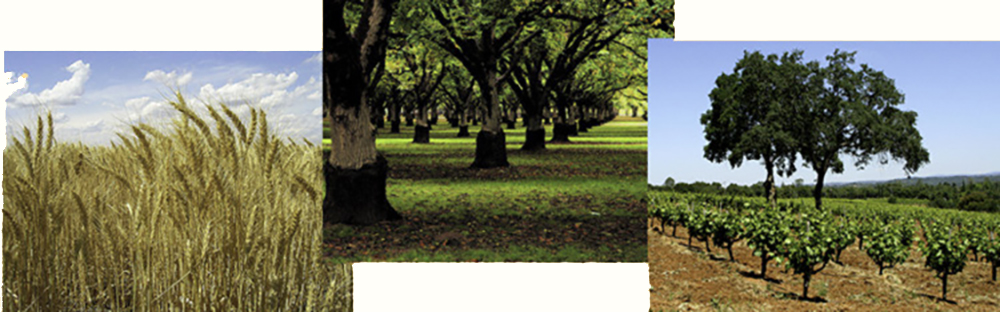
The first crops planted in the Mother Lode region were wheat and hay crops to provide for miners and their stock. These crops are still grown in the region's nine counties today, but tastes and the amount of land dedicated to agriculture have changed over the last one hundred fifty years.
Crops

Not all land in the Mother Lode is suited to crop production. It suffers in this regard from its location in the sometimes rocky terrain of the Sierra foothills and in the Sierra Nevada Mountains themselves. How much of the available land in the region has been farmed? Exploring farm census data from several decades of the 20th century will allow you to create a picture of just how intensively the available land has been used, for what crops, and how crop preferences have changed.

Open the El Dorado GIS file and display these layers:

  • Mother Lode
    • Agriculture by County
    • Agriculture by Crop [ArcGIS only]
  • World Street Map

Make sure that all other layers are off at this point and use the bookmark to zoom in on the Mother Lode.

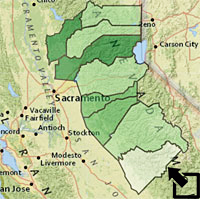
The number of acres given to agriculture in the Mother Lode counties in 1929 is one of the variables in the Agriculture by County layer. Determine the percentage of acres in each county devoted to agriculture that year.


My World GIS
ArcGIS Explorer

• Click on the Analyze button (Analyze ) and select By Math Operation.

• Complete the form as indicated below to calculate the percentage of county land in crops:

% Crop Land


• Double click on the Mother Lode Agriculture by County layer to bring up the Edit Appearance window pictured below:

• You can choose the Colorscheme you want to use. Enter 5 as the Number of Fill Colors and select to Classify By: Quantiles. This will give you five groups with approximately the same number of counties per group. Click on the Apply button and Close the window. Set the level of Transparency to 50% if you would like to see the terrain through the new map layer.


• Right click the Agriculture by County layer in the table of contents and select Properties....

• Click on the Symbology tab and select Quantiles.

• In the Fields pane select Crop Land 1929 as the Value and Acres as the Normalization value.

The result is the is the desired division. It is said to be a normalized value because we now have a rate that is not affected by the size of the county.

In the Classification pane click the Classify button. You will see a new window. Select to classify by Quantiles and 5 classes as pictured below:

This will give you five groups with approximately the same number of counties per group.

• Click OK

• You can define your own labels to make the map easier to read by editing the values in the Labels column:

• Click the Display tab and set Transparent to 50% if you would like to see the terrain through the new map layer.

• Click OK again to leave the Properties window.


There is data for each of the five most commonly grown Mother Lode crops (hay, wheat, apples, grapes, and walnuts) from 1929 through 1997. Explore the production of each of these crops over time.

My World GIS
ArcGIS Explorer

• To create a time series of apple crops over the years first select the Mother Lode Agriculture by County layer.

• Select Time Series Options from the Layer menu and complete the form as indicated below:

Time Series

• Click Create Field and Close.

• Select the new Apples field from the new Mother Lode Agriculture by County layer list. You can now select the year desired from the list on the right.

Apples


Edit Appearance for one of the years and you set the appearance for all years in the series. For example:

Apples

• Click on the Time Series icon(Icon )to view a graph of the series.

•Click to open the desired Agriculture by Crop layer in the table of contents (Grapes, for example.

• Click on the Timeslider button (Timeslider ) in the tools bar. (You may need to also click on the Timeslider button in the new window to activate the slider.)

• Use the mouse to move the slider to 1929 if necessary.

• Click on the Start button to advance the slider and display automatically or click on the next decade in the slider to advance manually.

Bar

• Right click the Agriculture by Counties layer and select Properties.

• Click on the Symbology tab.

• Click on Charts and select Pie.

• Select the field to be graphed:

Pie Graph Fields

• Click on Size and set Variation Type:

Variation


• Click on OK and OK again to leave the Graph window


To Start You Thinking -

1) In what county was the percentage of cropland the greatest in 1929? Least? What geographic factor do you suppose contributes to these facts?

2) What was the leading crop in El Dorado County in 1929? In the Mother Lode region as a whole?

3) Follow-up on the 1929 example and compare the extent of farmland in each county in 1949, 1969, 1987, and 1997. Remember to use the same classification scheme for each map in order to make comparison easy. Describe and explain any significant changes you see in the extent of the land farmed in the Mother Lode over the 20th century.

4) How did the production of each of the five major Mother Lode crops (hay, wheat, apples, grapes, and walnuts) vary county-by county over the 20th century? Prepare maps and/or graphs that will allow you to address this question. Write a short written summary of your results referring to the data and your maps or graphs as appropriate.
Last modified in January, 2011 by Rick Thomas