Changing Demographics - El Dorado County

Boom to Bust 2
Year California El Dorado County
1850 92,597 20,057
1860 379,994 20,562
1870 560,247 10,309
1880 864,694 10,683
1890 1,213,398 9,232
1900 1,485,053 8,986
1910 2,377,549 7,492
1920 3,426,861 6,426

When the gold rush commenced in 1848 California's native population was approximately 110,000. There were also some 7,000 persons of Mexican and Spanish descent, 700 Americans, and 200 Europeans.1 In 1850, a year after California's admission to the United States and with the gold rush in full bloom, the first state census put California's white population at 92,597. The native population had decreased to about 30,000 as a result of disease, starvation, and murder.

At the heart of the Mother Lode, El Dorado County experienced its own population boom to bust as a result of the gold rush. In 1850 over one fifth of the state's white population lived in the county. A decade later the state's population had grown to almost 380,000 while that of El Dorado County was virtually unchanged. The rush to the golden county of the golden state was over just a decade after it started. As the table at right suggests the county's population declined during the remainder of the nineteenth century and into the twentieth reaching a low of 6,426 in 1920 before it began to grow again.

El Dorado County's changing demographics over the last 50 years are the focus of the activities below.
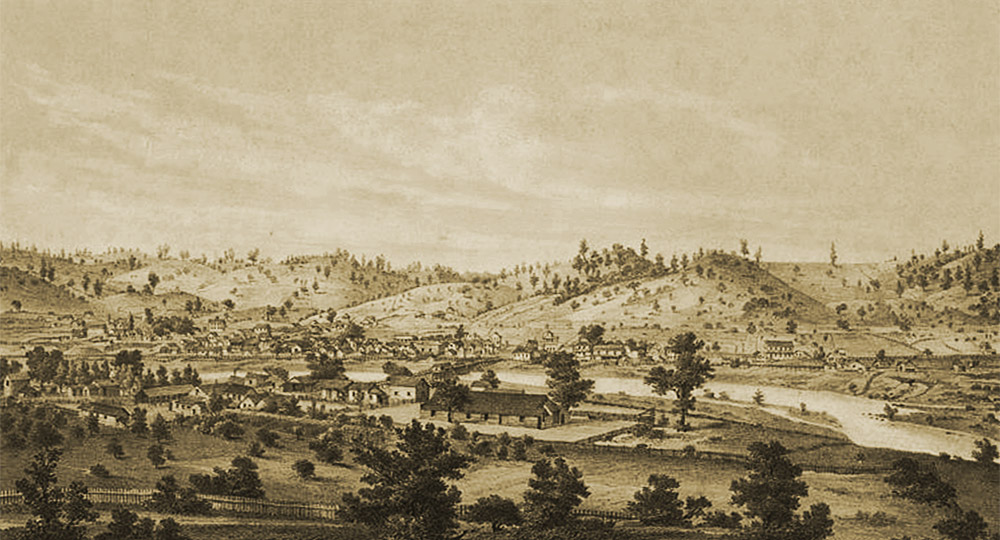
Coloma, 1857

Coloma, 1857

This town near Sutter's Mill where gold was first discovered in 1848 grew to become the home of thousands in the 1850s. Today it is the home of the Marshall Gold Discovery State Historic Park and a population of a few hundred.

El Dorado County

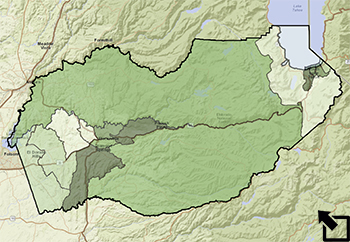
The area of El Dorado County is just over 1700 square miles. It extends from its western boundary in the Sacramento Valley east into the Sierra Nevada foothills and the mountains themselves to its eastern boundary on Lake Tahoe and the Nevada border. How has the population density of the county (the number of persons per square mile) changed over the years? You could do a gross calculation based on the county's total population and area to check. In 1920, for example, when there were 6,426 people in 1,710.8 square miles. The population density was only 6426/1710.8 = 3.8 people per square mile. Very sparse. Of course most people lived in and around the county's towns. Data from census tract files will give a more finely focused picture.

Open the El Dorado GIS file and check to see that the following layers are active:

  • El Dorado County
    • County Boundary
    • Demographics
      • 2000
      • 1990
      • 1980
      • 1970
  • World Street Map

Make sure that all other layers are off. Use the bookmark to zoom in on El Dorado County.

Prepare population density maps for each decade from 1970 thru 2000 that you can examine chronologically looking for changes over time. Make sure to use the same classification scheme on each map to allow a straight forward comparison decade-to-decade.

My World GIS
ArcGIS

• Double click on the El Dorado County - Demographics 2000 layer to bring up the Edit Appearance window pictured below:

• You can choose the Colorscheme you want to use. Enter 5 as the Number of Fill Colors and select to Classify By: Quantiles. This will give you five groups with approximately the same number of counties per group. Click on the Apply button and Close the window. Set the level of Transparency to 50% if you would like to see the terrain through the new map layer.

• Right click the Demographics - 2000 layer in the table of contents and select Properties....

• Click on the Symbology tab and select Quantities.

• In the Fields pane select Population as the Value and Square MIles as the Normalization value.

The result is the is the desired division. It is said to be a normalized value because we now have a rate that is not affected by the size of the census tract.

In the Classification pane click the Classify button. You will see a new window. Select to classify by Quantiles and 5 classes as pictured below:

This will give you five groups with approximately the same number of counties per group.

• Click OK

• You can define your own labels to make the map easier to read by editing the values in the Labels column:

• Click the Display tab and set Transparent to 50% if you would like to see the terrain through the new map layer.

• Click OK again to leave the Properties window.

To Start You Thinking -

1) Where are the areas of greatest population density in El Dorado County over the period from 1970 to 2000?

2) How does the population density of El Dorado County compared with that of surrounding counties? (HINT: Check the data in the California Counties layer.)

3) The ethnic make-up of California has changed dramatically over the last fifty years particularly with increases in the Hispanic population. To what extent has this statewide trend been mirrored in El Dorado County? Explore and summarize the change in the county's Hispanic population since 1970 using the data in the El Dorado County Demographic files.

4) Where in El Dorado County is the change in the ethnic/racial composition of the population the greatest? Explain.

My World GIS
ArcGIS

• Click on the Analyze button (Analyze ) and select to analyze By Math Operation. Create a new field to show the percent of the total population that is Hispanic:

Select by Math

• Click OK.

• Right click the Demographics - 2000 layer in the table of contents and select Properties....

• Click on the Symbology tab and select Charts.

• Click on Pie Chart and select the fields you want to include in the graph:

Pie Chart Fields

Click on Size and select to vary the size of the graph using the Population field. Adjust the size of the symbols in the chart:

Chart Variation

• Click OK


5) A population pyramid is a graphic display of age and gender data. The Population Pyramid worksheet provides a chance to learn about this tool and apply it to better understand how demographic patterns can be applied in county planning.

1David J. St. Clair, "The Gold Rush and the Beginnings of California Industry," in James J. Rawls and Richard J. Orsi, editors, A Golden State: Mining and Economic Development in Gold Rush California, (Berkeley: University of California Press, 1999.

2Campbell Gibson and Kay Jung, "Historical Census Statistics on Population Totals By Race, 1790 to 1990," (Washington, D.C.: U.S. Census Bureau, 2002)

image cropped from George Searle, lithographer, Coloma, 1857, El Dorado County, California, San Francisco: Britton & Rey, 1857 in Calisphere.

Last modified in January, 2011 by Rick Thomas
